
Introduction (UK & Ireland)
This article explains how to set up your group for making Group VAT Returns:
- UK Entities: Designate all groups as group VAT Reporting entities and connect to HMRC, then proceed to create a Group VAT Return.
- Irish Entities: Designate all groups as group VAT Reporting entities, then proceed to create a Group VAT Return.
For the purposes of this article, the following terminology will be used:
- Group VAT MTD Reporting Entity: This represents a central company that is registered for Group VAT. Note, that it is not possible to use a consolidation entity for this purpose, it must be a trading entity.
- VAT Group Entity: This represents all trading entities that are part of the VAT group.
Feature Access
Please contact support@accountsiq.com if you cannot see the Group VAT Return option. This might require enabling the Group Accounting add-on.
See:

Designate all Group Entities as Group VAT Reporting Entities (UK & Ireland)
- Log into the group portal.
- For each entity to be included in the Group VAT return, go to Actions > Edit Entity.

- Enter the company ID of the Group VAT MTD reporting entity and click Process. Repeat this for all entities that are part of the VAT Group.

To see that this entity is the designated VAT group reporting company, go to Actions > Edit Entity next to the VAT Group Reporting entity.
Disconnect VAT Group Entities from HMRC (UK only)
It is important that all of the entities that are part of the VAT Group are NOT connected to HMRC for MTD Vat submissions. This is because, they are now linked to a Group VAT Entity which will make the group submission to MTD on their behalf, instead of individually.
- In each VAT Group Entity, go to Setup > Company Details & Settings > Integration.

- If any of the VAT group entities are Connected, click Disconnect.

Connect the VAT Group Reporting Entity to HMRC (UK only)
MTD Nominated Administrator
The user who signed up for MTD with HMRC must make the connection between the system and HMRC. No other user can make a valid connection to create or submit a return. If they attempt to do so they will receive an error message.
In addition, they must have an Admin User Role. See Setting Up System Users for more details.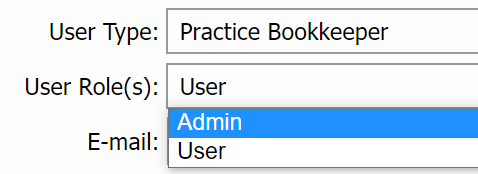
- Go to Setup > Company Details & Settings.
- In the Integration tab under HMRC Online VAT Returns, click Connect. Once the connection to HMRC is made, any user with VAT Management enabled in their user profile will be able to submit returns to HMRC.
- Follow the on-screen instructions for the HMRC portal. Once the connection has been made, the status will change to Connected.
- Now the setup is complete, you can Submit Group VAT Returns.